Resonance suppressor
Finds the frequencies that stick out and turns only those down, following them as they move.
Open the studio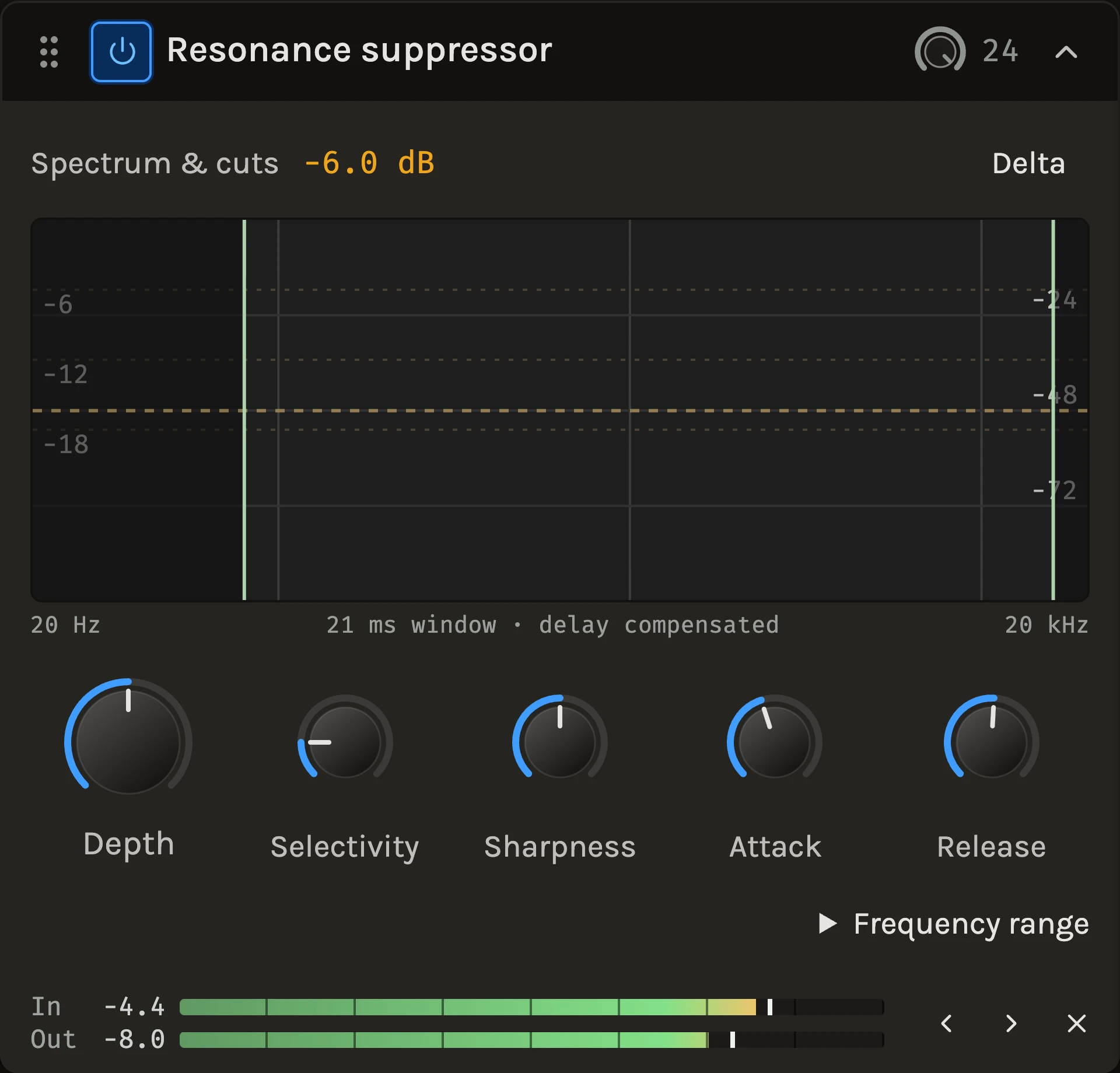
The Resonance suppressor watches the spectrum, finds the frequencies that rise above their surroundings and turns only those down, as deeply as they stick out and only while they do. A nasal ring in a vocal, a boxy note in an acoustic guitar or a whistle in a cymbal is cut at the moment it appears, and the harmonics beside it are left alone because each frequency is judged against its neighbours, not against silence.
When to use it
Use it where a static EQ cut would thin the whole track to catch a problem that only appears on some notes: resonant vocals, room-coloured acoustic instruments, harsh distorted guitars and bright cymbals. It also tames a busy mix bus a little. For sibilance in a voice the De-esser is the specialist; for the broad balance use the Auto EQ; for a fixed cut you choose yourself, the Parametric EQ.
Controls
Depth
The most any frequency can be turned down. Start moderate and raise it until the harshness goes without the sound thinning.
Selectivity
How far a peak must rise above the peaks around it before it is touched. Higher singles out only the strongest resonances; lower flattens more of the spectrum.
Sharpness
How narrow a peak must be. Low compares each frequency with two octaves around it, so broad bumps count too; high looks only a quarter octave around it, so just needle-like peaks count.
Attack and Release
How quickly a cut deepens once a peak appears and how quickly it lets go once the peak is gone.
Frequency range
Under the disclosure, Low edge and High edge bound the processing; nothing outside is touched. You can also drag the edges on the graph. Narrow the range to the low mids to treat boxiness without ever touching the air.
Focus curve
Double-click the graph to add a point and drag it up or down. Positive makes that region easier to trigger; all the way down protects it completely. A single point biases the whole range; several draw a curve between them.
Delta
Hear only what is being removed. If you hear the resonance, the cuts are landing; if you hear the music, back off Depth or raise Selectivity.
The graph shows the incoming spectrum from the bottom and the current cuts hanging from the top. The processing adds about 21 ms of delay, which playback and export compensate.
Tips
- A lone sustained note with nothing around it counts as a peak and will be turned down. Protect a bass line with the focus curve or the range rather than lowering Depth for everything.
- If plain noise or reverb tails get nibbled, raise Selectivity a couple of decibels; the real resonances stay well above that line.
- Check your work with Delta on and then off, at the same passage, rather than listening to the processed track alone.
All control ranges 7 controls
| Control | Range |
|---|---|
| Depth | 0 to 24 dB |
| Selectivity | 0 to 24 dB |
| Sharpness | 0 to 100% |
| Attack | 1 to 200 ms |
| Release | 10 to 2000 ms |
| Low edge | 20 to 5000 Hz |
| High edge | 1000 to 20000 Hz |
Keep shaping your sound.
There’s a whole rack to explore.