Parametric EQ
Up to eight bands on one curve, with the sound drawn live underneath it.
Open the studio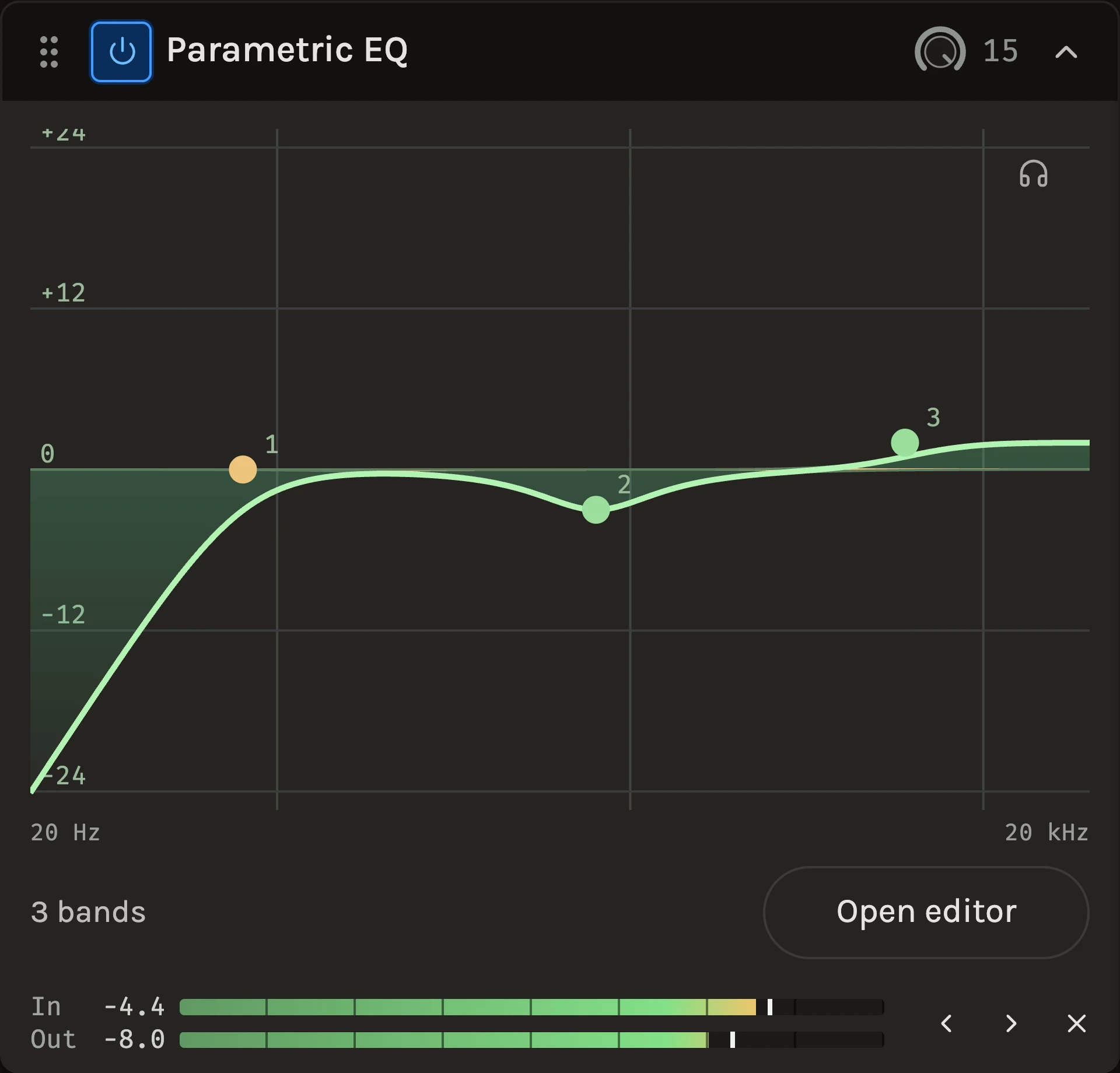
The Parametric EQ shapes a track with up to eight bands drawn on one response curve. The live spectrum of what goes in and what comes out sits behind the curve, so you can see a boxy bump before you cut it and watch it flatten as you do. Each band can be a bell, a shelf, a pass filter or a notch, and every band can be bypassed, soloed or removed on its own.
When to use it
Reach for it when one band is not enough: a vocal that needs a high-pass, a cut at the boxy low mids and a touch of air at the same time, or a bus where several instruments share a crowded region. For a single move the Bell EQ is quicker, and the Filter gives one pass filter with a resonance you can play. To shape by ear without numbers, use the Character EQ; to let the balance be steered automatically, the Auto EQ.
Controls
The curve
Click empty space to add a band where you clicked. Drag a point left and right for frequency and up and down for gain; scroll over the graph to change the selected band’s Q. Double-click a point to bypass its band, and right-click it for the band menu with Bypass, Solo, Shape, Slope and Remove. The bright line is the combined response of every enabled band.
Band shape
Bell boosts or cuts around one frequency and is the band for most corrections. Low shelf and High shelf lift or lower everything below or above the frequency, for broad tonal moves. High-pass and Low-pass remove everything past the frequency; Band-pass keeps only a region and Notch removes one.
Band slope
High-pass and low-pass bands offer 6, 12, 18, 24, 36 and 48 dB/oct. A 6 dB/oct band is a gentle first-order filter with no resonance, so its Q is disabled. At the other slopes Q 0.71 is flat and higher values lift a peak at the cutoff.
Solo
Hear only the selected band’s region. Sweep the frequency while soloed to find the ring or the mud, then switch solo off and set the gain in context.
Phase
Minimum has no latency and the usual phase shift around each band. Linear has no phase shift, about 43 ms of latency that playback and export compensate, and a little pre-ring on sharp transients.
Frequency, Gain and Q
The fields under the graph give exact entry and keyboard control for the selected band, with the same values the point shows.
Tips
- Cut before you boost. A narrow cut at a resonance usually does more than a wide boost somewhere else.
- Keep Minimum phase on anything you monitor live; the latency of Linear is removed in playback but still audible while playing through it.
- The band list beside the graph keeps every band’s shape and values in view, so you can read a whole curve without hovering over points.
Keep shaping your sound.
There’s a whole rack to explore.