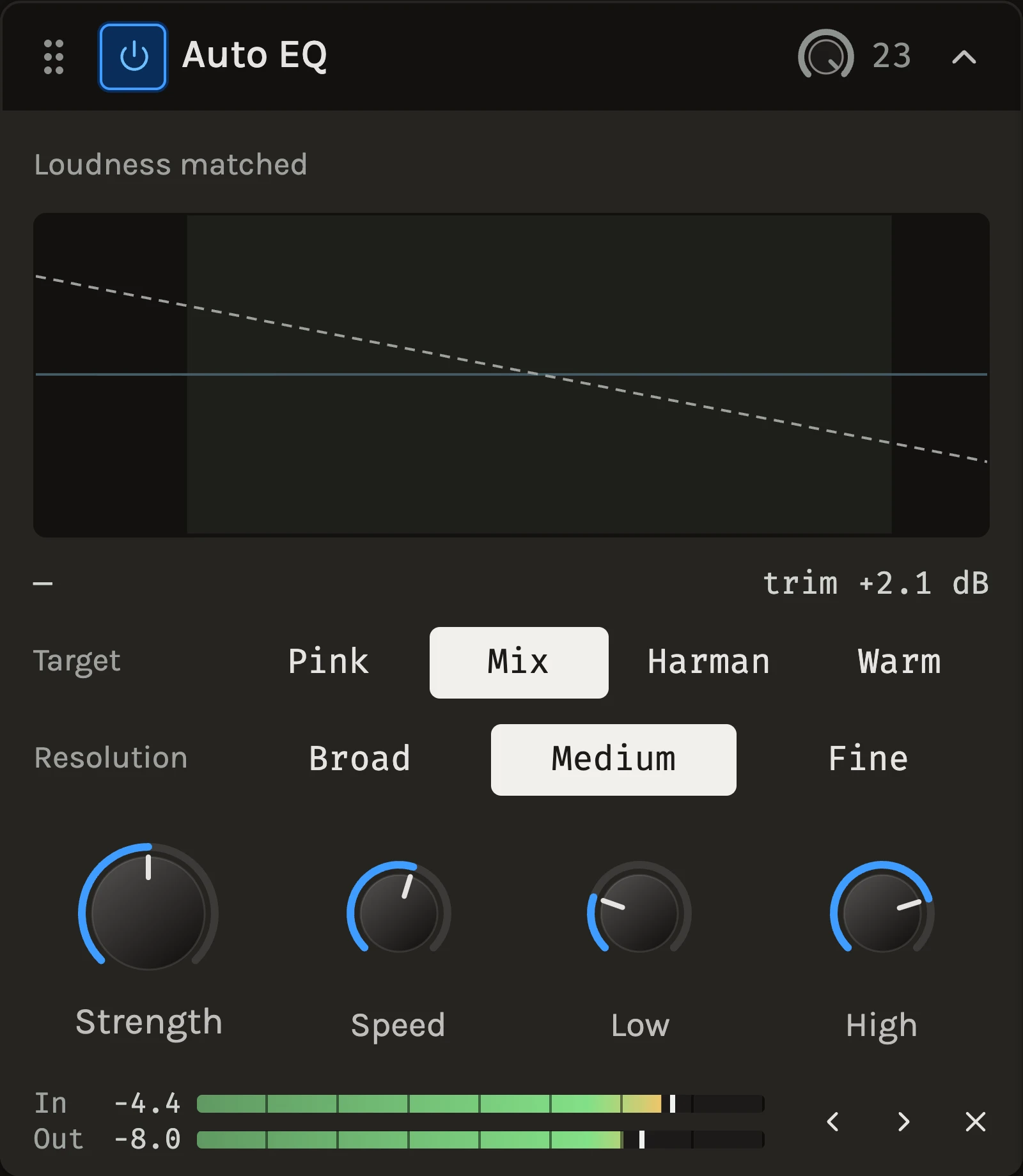
The Auto EQ listens to what plays through it, compares its tonal balance with a target curve and gently pushes it there, boosting the dips and cutting the bumps alike. It works in broad bands and settles over hundreds of milliseconds, so it moves the overall colour rather than chasing individual notes. The output level is matched automatically, so you judge the balance, not the volume.
When to use it
Use it on a mix or a bus that sounds a little off in ways you cannot pin down: a dark demo that needs opening up, a bright rough mix that needs rounding off, or several songs that should sit together. On a single instrument it evens out a part whose tone changes from phrase to phrase. For a resonance that rings at one frequency use the Resonance suppressor; to shape the balance yourself by ear, the Character EQ; for exact bands, the Parametric EQ.
Controls
Target
The balance the material is steered toward. Only the shape matters; the level is fitted first. Pink is flat and the brightest. Mix, the default, is a little darker, about where typical mastered music sits. Harman lifts the lows and rolls the highs gently, after the shape of a familiar listening curve. Warm is darker still and rounds off a bright source.
Resolution
How finely the spectrum is divided. Broad follows tilts and shelves only, Medium is the default balance of reach and gentleness, and Fine reacts to narrower features and digs further into a dip or bump. Switching restarts the analysis.
Strength
How far the balance is pushed toward the target. Zero leaves the sound untouched, 100% removes the measured difference up to 9 dB per band, and 30 to 60% is a typical mastering touch.
Speed
How quickly the correction follows the material. Short settings even out sections and follow phrases; long settings settle on the overall balance and leave the dynamics alone. Start around the default 400 ms.
Low and High
The range the balancing acts on; nothing outside it moves. Bands within half an octave of an edge fade in. The top octave often sounds better left alone, which is why the range ends at 10 kHz by default.
Tips
- Read the display: the dashed line is the target, the bars show how far each band sits from it, and the solid line is the correction being applied. If the bars are tiny, the mix is already close and you can leave it.
- Strength at 100% is deliberately more than you need, so a quick listen at full strength shows the direction and a lower setting keeps the taste.
- Gaps between phrases hold the last balance rather than resetting, so a sparse arrangement does not lurch.
All control ranges 4 controls
| Control | Range |
|---|---|
| Strength | 0 to 100% |
| Speed | 50 to 2000 ms |
| Low | 20 to 2000 Hz |
| High | 1000 to 20000 Hz |
Keep shaping your sound.
There’s a whole rack to explore.