De-esser
Turns down harsh S sounds frequency by frequency, and puts a softer S back in their place.
Open the studio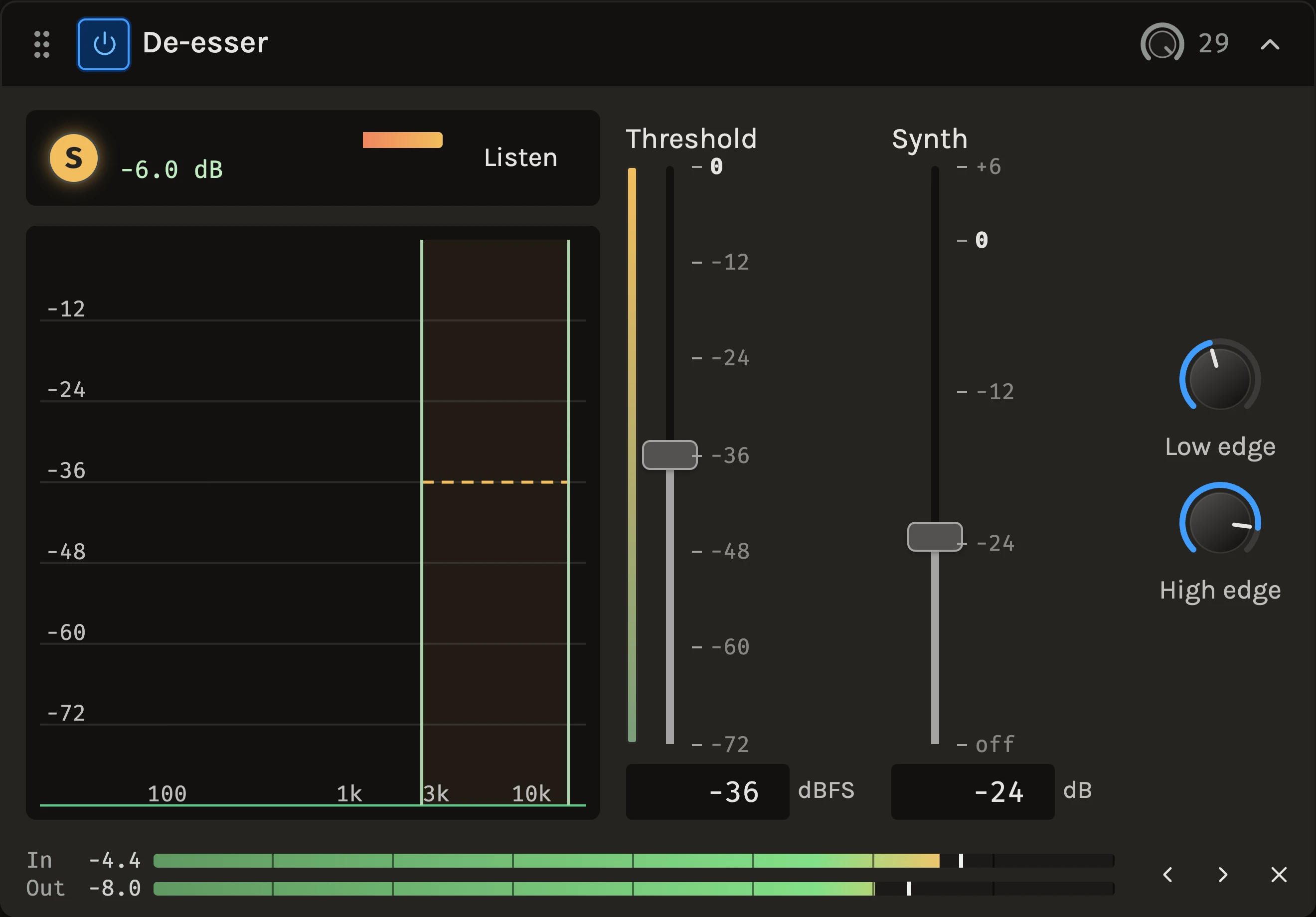
The De-esser recognises sibilants and turns them down only at the frequencies where they exceed the threshold, then puts a softer, synthesized S back into exactly those frequencies. Because the air and the upper harmonics beside the S keep their level and the consonant is replaced rather than removed, the reduction can be firm without the voice turning lispy or dull. Vowels with bright content over the line are left alone.
When to use it
Use it on any vocal whose S and T sounds jump out after compression or brightening, and on voice-overs recorded close to the microphone. With the synthesized S turned off it also works as a de-harsher on bright, poky material such as a whole record that stings in the top. For a ring at one frequency use the Resonance suppressor; for the overall level of the voice, the Vocal rider or the Compressor.
Controls
Threshold
The level in the sibilance range from which sibilants are turned down. The meter behind the fader shows the loudest part of the range right now, and the graph draws the line over the spectrum, so set it where the S sounds cross it and the vowels do not. At 0 dBFS nothing ever triggers.
Synth
The level of the synthesized S put back in the reduced frequencies, relative to what remains of the real S there. 0 dB matches the remaining real S; all the way down is off and only the cuts remain, which is the de-harsher setting. The default sits well below the real S so the result stays natural.
Low edge and High edge
The range the de-esser acts on, from 2.5 to 16 kHz by default. Drag the shaded edges on the graph or turn the two knobs beside the faders. Lower voices often want the low edge a little lower.
Listen
Hear only the sibilance range after treatment: what the S sounds have become. The lamp above the graph lights while a sibilant is being turned down, and the bar beside it shows the deepest current cut.
The processing adds about 11 ms of delay, which playback and export compensate.
Tips
- Lower the Threshold until the lamp flashes on the S sounds and stays dark on the vowels, then stop. The reduction follows how far each S crosses the line.
- Place it after the compressor when compression brings the sibilance up, and before a bright EQ when the EQ causes it.
- Use Listen to decide the Synth level: with it up you should hear an S that is softer but still an S, not a hiss.
All control ranges 4 controls
| Control | Range |
|---|---|
| Threshold | -72 to 0 dBFS |
| Synth | -40 to 6 dB |
| Low edge | 1000 to 8000 Hz |
| High edge | 4000 to 20000 Hz |
Keep shaping your sound.
There’s a whole rack to explore.