Listening Room
Hear your mix on nearfields, a soundbar, a club system or car doors, all on headphones.
Open the studio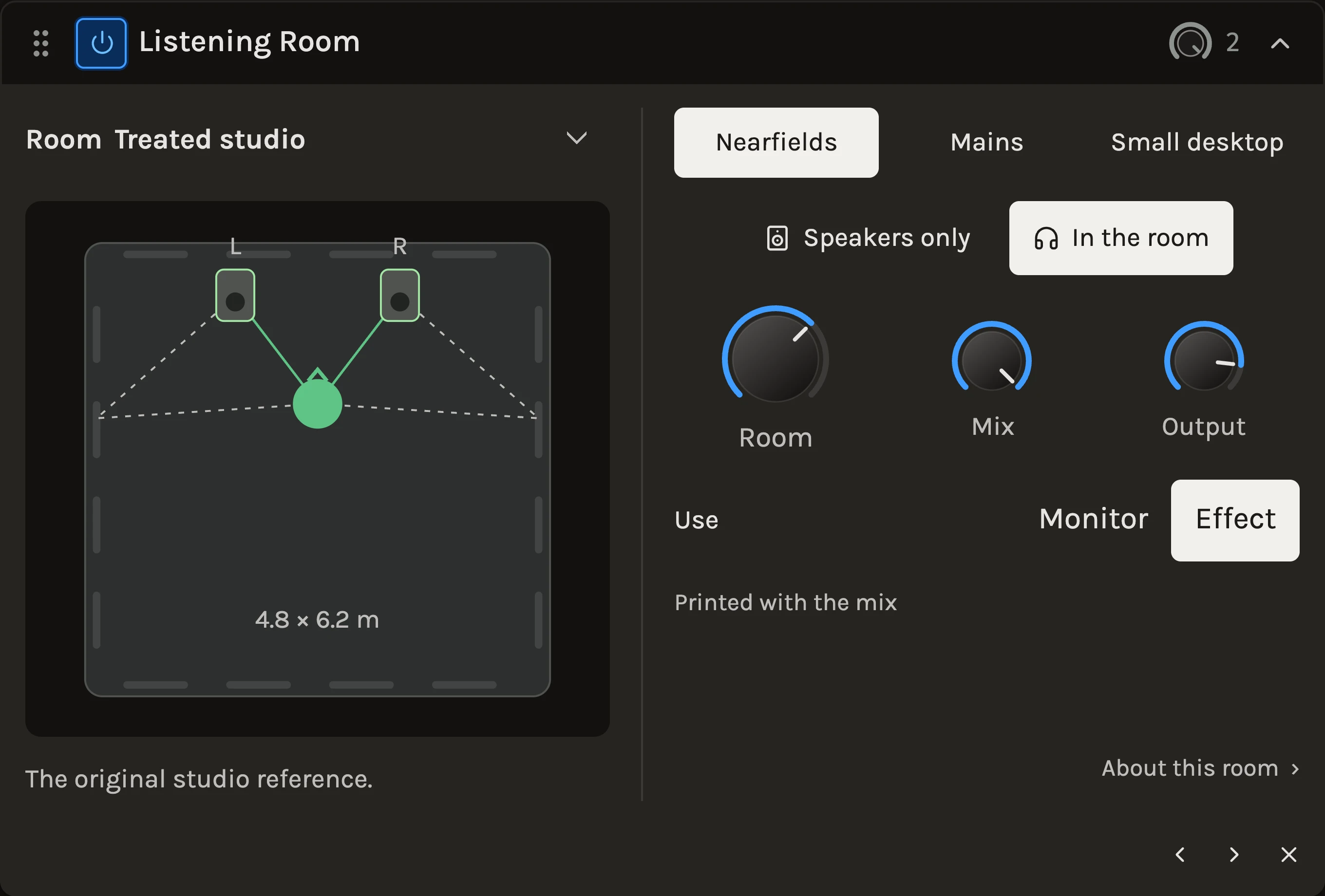
The Listening Room plays your mix through virtual speakers in a modelled room and delivers the result to your headphones through measured ears, so a stereo image that only exists between two earcups becomes two speakers in front of you. Four rooms and ten speaker setups let you check how a mix translates before anyone else hears it.
When to use it
Use it on the Master while mixing on headphones, to judge balance and width as if on speakers, and then to flip through the living room, the nightclub and the car to hear what survives. In Monitor mode it runs after the master meters and is left out of every export and clip render, so it never prints into the mix. As an Effect on an ordinary track it prints, which turns it into a creative room and speaker colour. For a captured space on one instrument, use the Convolver.
Controls
Room
Treated studio, Living room, Nightclub or Car. Each room has its own dimensions and absorption, and remembers the last speakers you chose in it. The drawing shows the speaker and listener placement from above.
Speakers
The choices change with the room: Nearfields, Mains and Small desktop in the studio; Consumer hi-fi, Bookshelf and Soundbar in the living room; PA + subs and PA tops in the club; Door speakers and Doors + sub in the car. Studio Nearfields is the reference pair with no added speaker curve. Switching crossfades, so you can compare while playing.
Speakers only and In the room
Two buttons for the same comparison: Speakers only keeps the virtual pair and the ears but removes the room’s reflections; In the room brings them back at 100%.
Room
How much of the reflected room you hear, 0 to 150%. Above 100% exaggerates the reflections for a clearer comparison.
Mix and Output
In Effect mode, Mix blends the simulation with the dry signal; 100% is the full room, and partial blends are creative settings rather than a reference. Output is a linked trim for setting a comfortable headphone level.
Use
Monitor reads Headphones only · excluded from export and is available on a stereo Master and in the single-file editor. Effect reads Printed with the mix and works anywhere in a rack. About this room holds the model’s limits and the source credits.
Tips
- Mix on Nearfields, then check the low end on Doors + sub and the vocal on Soundbar before you export; what disappears on both is worth fixing.
- Keep Monitor on the Master and mute it when switching to real speakers, so you never compare headphones with a room to speakers without one.
- Loudness differs between setups by design; use the Meter rather than your ears to compare levels across them.
All control ranges 3 controls
| Control | Range |
|---|---|
| Room | 0 to 150% |
| Mix | 0 to 100% |
| Output | -36 to 6 dB |
Keep shaping your sound.
There’s a whole rack to explore.