Convolver
Real captured spaces, plates, speakers and objects, plus any impulse of your own.
Open the studio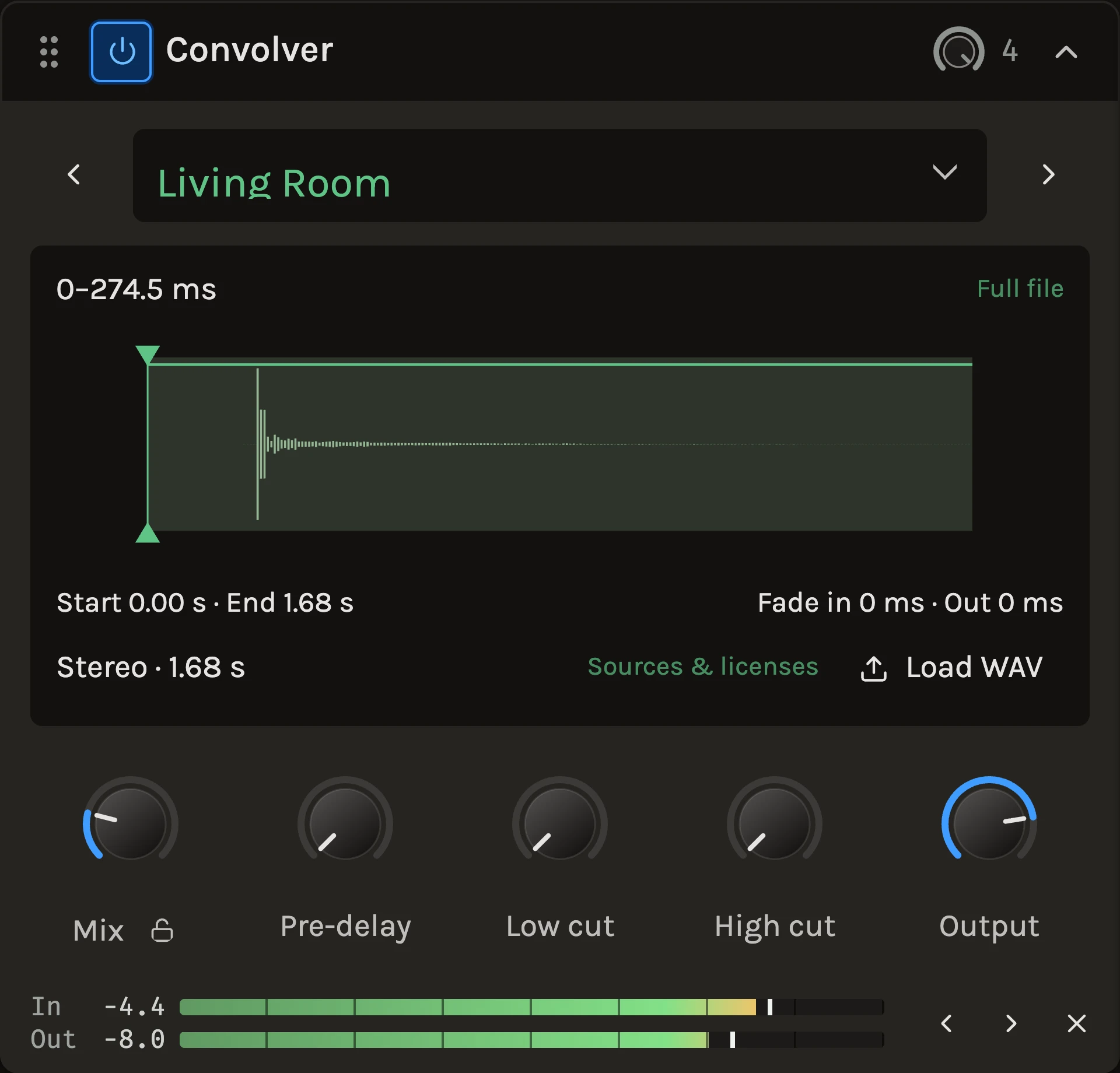
The Convolver plays your sound through an impulse response, giving it the reflections of a space or the tone of a device. Try a living room, a stairwell, a spring tank, a cabinet or a small speaker. Load a WAV of your own and it becomes part of the project.
When to use it
Use it for a particular space or colour, such as the Pantheon on a choir, a tile bathroom on a snare, a cabinet on a direct guitar, or a gramophone on a whole mix for a lo-fi verse. For a space you want to shape by decay and size, use the Reverb.
Controls
Impulse
Click the current impulse’s name to open the Impulse library. It opens at the response you are using. Spaces and reverbs come first, then speakers, cabinets and other colours. Search by name or character, filter by category or collection, and expand a sound to see its variations. Select a response, then click Load impulse, or double-click it. With the keyboard, the arrow keys select as they move and Enter loads. Undo restores the previous settings.
Variations use positions, capture methods, tone settings or approximate tail lengths to help you choose. Reverb settings run from shorter to longer tails. These tail lengths describe the main response energy, and the file may be longer.
The panel below the list shows the selected response, its category, channels and length, suggested uses and creator, with a short licence label. Click a suggested use to find every response for it. Details shows capture information, source handbooks and full notices in place of the list. Credits travel with the response when you save a project or chain.
Responses download when needed and remain available on this device. On this device lists the responses kept locally and lets you remove reusable downloads. Removing a download leaves saved projects intact.
The current-name button is the single entrance to the library, including the original collection and imported WAVs. Import WAV in the library, or dropping a file on the module, loads a mono or stereo capture up to 30 seconds. It is stored with the project so it opens anywhere.
New library responses retain their original files, including leading silence. The waveform handles change playback in your project without rewriting the source.
Mix
The dry and wet balance. Loading an impulse preserves this setting, along with Output, pre-delay and the filters. For a send return or cabinet used on its own, set it to 100%.
Pre-delay
Adds up to 250 ms before the response. Zero keeps the captured arrival timing.
Waveform handles
The waveform shows the actual response. The lower handles trim its start and end so you can remove a captured leading silence or cut a long tail short; the upper handles add fade-in and fade-out from those edges. Arrow keys move a handle by 1 ms, Shift plus arrow by 10 ms. Fit response and Full file switch between the retained part and the complete file.
Low cut and High cut
Simple filters on the wet sound only. Zero is off. A low cut around 150 Hz keeps a long space from clouding the bass.
Output
Trims the wet signal from −48 to +12 dB. Every response plays at a matched loudness, including WAVs you import, so switching responses keeps the wet level steady. A response that piles its energy into one band, such as a cabinet with a strong resonance, plays a little lower so one note cannot jump out. This is a fixed gain set once per file, not a limiter, and it holds at every project sample rate.
Tips
- Trim the start of a long room capture by a few milliseconds and the space pulls in close; trim the end and a hall becomes a chamber without changing its tone.
- Speaker captures work best with Mix at 100% and your own amp or drive in front of them.
- The engine adds no latency of its own, so a Convolver on a monitored track plays as tight as the capture allows.
All control ranges 7 controls
| Control | Range |
|---|---|
| Mix | 0 to 100% |
| Pre-delay | 0 to 250 ms |
| Length | 0.001 to 100% |
| Low cut | 0 to 2000 Hz |
| High cut | 0 to 20000 Hz |
| Output | -48 to 12 dB |
| Start trim | 0 to 29999 ms |
What’s changed
- ImprovedA sound library for the Convolver · 14 October 2026
Click the Convolver's current impulse name to open its new library. Search or filter the responses, expand a sound's variations, then Load impulse. Undo restores the previous settings. The same browser holds the original collection and imported WAVs, with a compact information panel showing duration, suggested uses and creator credit. Category headings organize the list, and On this device shows retained responses. New responses download when needed and stay available on the device.
Variation names describe positions, capture methods, approximate tails or cabinet tone. Reverb settings are ordered from shorter to longer tails. Creator links and licence labels keep credits close without filling the browser with legal text.
Every response, including an imported WAV, now plays at a matched loudness, so switching impulses keeps the wet level steady. Responses with a strong resonance play a little lower so a single note cannot jump out. The Convolver's level also no longer rises at higher project sample rates.
Keep shaping your sound.
There’s a whole rack to explore.