Noise suppression
Quietens room tone, hiss and hum in the gaps, and learns the background by itself.
Open the studio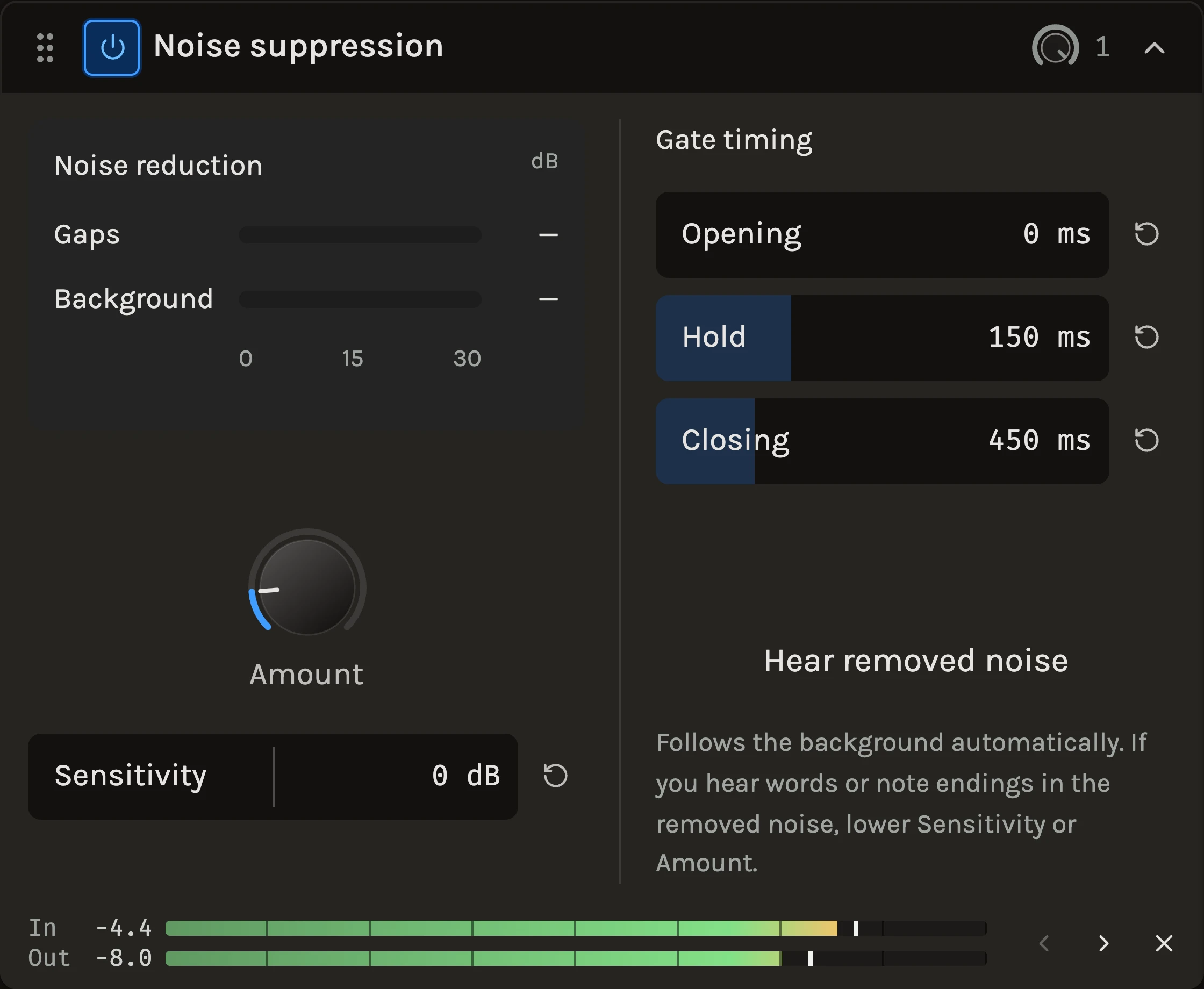
Noise suppression listens to a recording, works out what the constant background is and turns it down. It combines a soft gate that lowers the gaps between phrases with a lighter spectral cleanup that thins the noise under the sound itself. There is nothing to teach it: the estimate follows the recording, and the two meters show how much the gaps and the background are being reduced.
When to use it
Use it on a spoken or sung voice recorded in a real room, on an acoustic guitar with a noisy interface, or on anything with a steady hiss or fan behind it. It is a cleanup, not voice isolation: loud noise and noise that changes with the music will only be reduced, and a deliberately noisy texture may be thinned too. For a hard gate with a threshold you set, use the Gate; for harsh ringing frequencies rather than noise, use the Resonance suppressor.
Controls
Amount
How deep both stages go. 100% is the original strength; the range continues to 400% for very noisy recordings, where the gate can take up to 28 dB and the spectral cleanup up to 12 dB. Zero leaves the sound unchanged. Start at the default 60% and raise it until the gaps are clean, then listen to consonants and note endings.
Sensitivity
Shifts what counts as background, −12 to +12 dB. Higher treats more quiet sound as noise; lower it if breaths or the tails of notes start to disappear.
Gate timing
Opening is how quickly the gate lets a sound through; zero preserves the beginnings of words. Hold waits before closing, so raising it bridges short gaps between words. Closing is how slowly the gate fades down after Hold; slower settings soften pumping at the cost of leaving a little more noise in short gaps.
Hear removed noise
Plays only what is being taken away. If you hear words or note endings in it, lower Sensitivity or Amount.
Tips
- Judge the setting with Hear removed noise, then switch back: the removed signal tells you immediately whether the music is being touched.
- Rising background takes a few seconds to be learned, so let a noisy recording run a little before deciding on Amount.
- The processing adds about a window of delay, around 20 ms, which playback and export compensate; a monitored live input will hear it.
All control ranges 5 controls
| Control | Range |
|---|---|
| Opening | 0 to 50 ms |
| Hold | 0 to 500 ms |
| Closing | 20 to 2000 ms |
| Amount | 0 to 400% |
| Sensitivity | -12 to 12 dB |
Keep shaping your sound.
There’s a whole rack to explore.