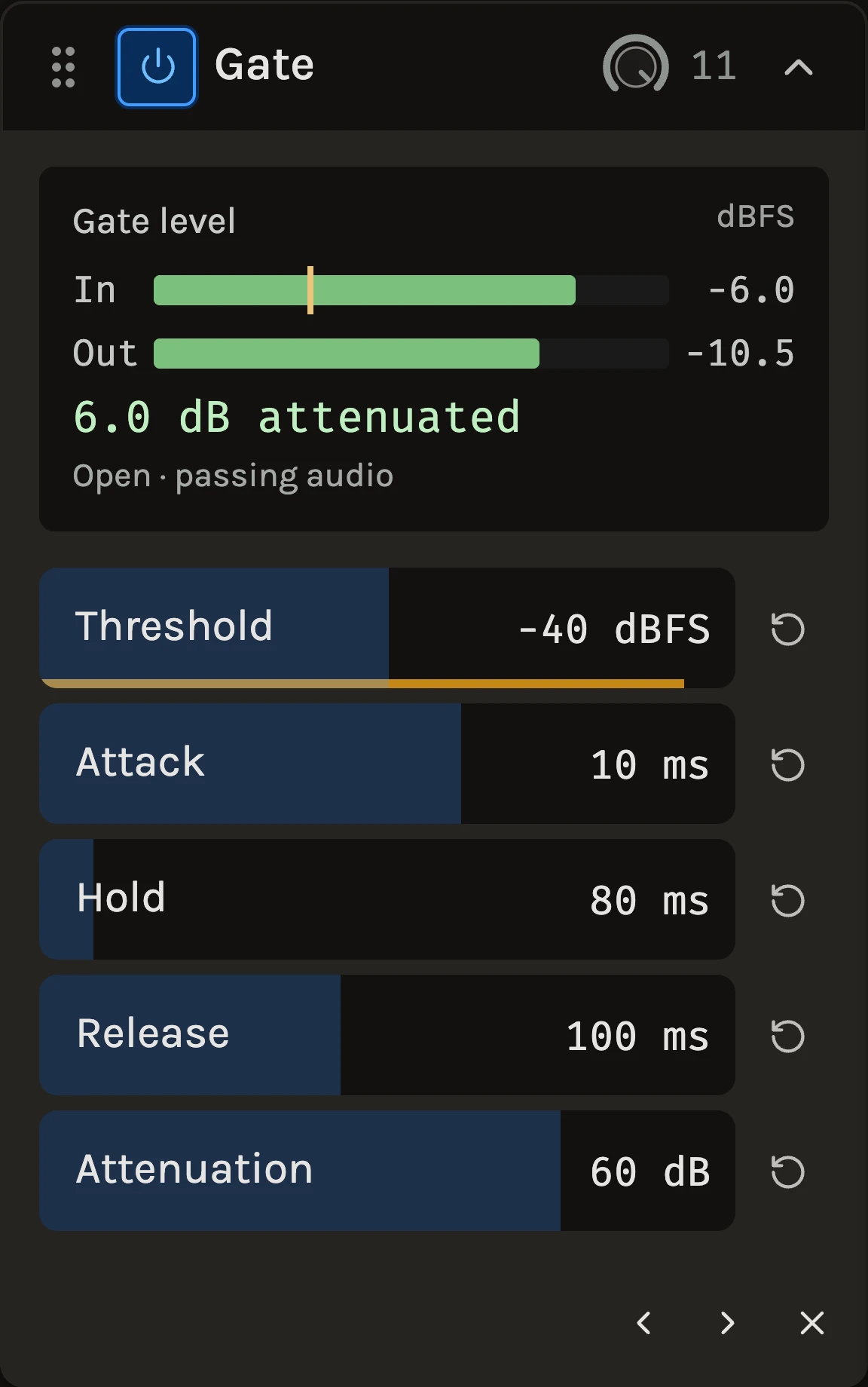
The Gate lets sound through while it is louder than a threshold and turns it down in between. Bleed between drum hits, amp hum between guitar phrases and room noise between vocal lines drop away without touching the notes themselves. Fed from another track, it opens and closes in that track’s rhythm instead, which turns a sustained pad into a chopped pattern.
When to use it
Use it on close-miked drums to tighten the kit, on an amp track that buzzes between parts, and on a vocal with a noisy room when the noise is only a problem in the gaps. For steady hiss under sustained material, Noise suppression works through the notes rather than between them. For ducking one sound under another rather than opening it, use the Compressor with a sidechain.
Controls
Threshold
The level the sound must reach to open the gate, drawn as the yellow line on the level display. Set it just above the noise you want to quiet and watch the display: hits should cross it, bleed should not. With a trigger track selected, the trigger must reach this level instead.
Attack
How quickly the gate opens. Keep it short on drums so the front of each hit gets through; lengthen it to soften the opening on a vocal or a pad.
Hold
How long the gate stays open after the sound falls below the line. Raise it to carry a snare’s decay or bridge the short dips inside a word, so the gate does not flutter.
Release
How gently the gate closes after Hold. Short is tight and rhythmic; long lets room and tails fade naturally.
Attenuation
How much quieter the closed gate becomes. The default takes the gaps down by 60 dB, which is silence in practice. 10 to 20 dB tucks the noise under the music while keeping the track breathing.
Sidechain
The picker in the header feeds the gate from another track. The level display then labels the detector lane Key instead of In, and the threshold meter follows the trigger. A hat pattern on the sidechain of a pad gates the pad into eighth notes.
The gate closes 3 dB below the opening threshold, so a sound that hovers around the line does not chatter.
Tips
- Set Threshold with Attenuation all the way up so you can clearly hear each open and close, then lower Attenuation to taste.
- If words or hits get clipped at the start, shorten Attack before lowering Threshold; lowering Threshold lets noise through as well.
- For rhythmic gating, start with a short Attack, Hold around the length of the trigger’s note and a Release that lands before the next one.
All control ranges 5 controls
| Control | Range |
|---|---|
| Threshold | -80 to 0 dBFS |
| Attack | 0.1 to 200 ms |
| Hold | 0 to 1000 ms |
| Release | 10 to 2000 ms |
| Attenuation | 0 to 80 dB |
Keep shaping your sound.
There’s a whole rack to explore.