Crush Lab
Six ways to wreck a sound, from gentle folding to a one-bit, 200 Hz crumble.
Open the studio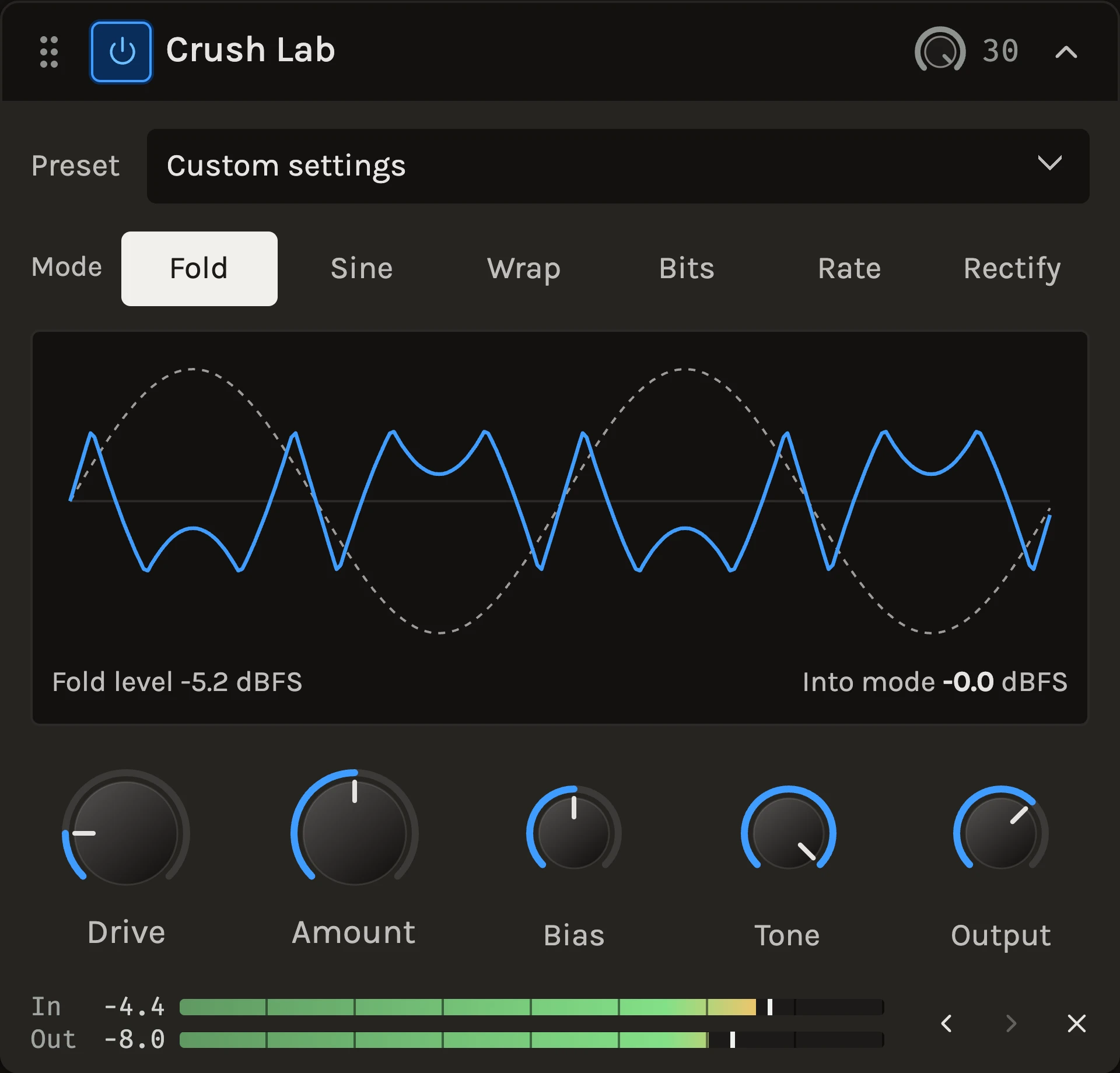
Crush Lab is a distortion laboratory: one drive stage with six switchable modes behind a single set of controls. Fold and Sine bend peaks back down, Wrap sends them round to the other polarity, Bits and Rate are the two halves of a low-resolution sampler, and Rectify turns the negative half down and flips it for an octave-up fuzz. Everything runs at eight times the project rate, so the damage you hear is the mode, not aliasing.
When to use it
Use it when saturation is not enough: a bass that should buzz, a drum loop that should crumble, a synth lead that should ring like a struck bell, a vocal that should sound like it came through a toy. Start from the presets, which pair a mode with a sensible Amount and Tone. For musical warmth use the Color Box; for clean peak shaving use the Clipper.
Controls
Mode
Fold reflects peaks above the fold level back down. Sine is a smooth fold whose turns multiply with Amount; hard-driven signals ring. Wrap is digital overflow, the harshest mode. Bits reduces the word length from 16 bits toward 1, so quiet signals crumble first. Rate is sample-and-hold from the project rate down to 200 Hz. Rectify turns the negative half down to silence at 50% and flips it at 100%, which doubles the pitch. Switching modes crossfades, so you can change while playing.
Drive
Gain into the mode, 0 to 36 dB, uncompensated. Fold, Sine and Wrap are bounded by their level, so heavy drive cannot blow up; Bits, Rate and Rectify pass the driven level through, so use Output to bring it back.
Amount
What it means depends on the mode: the fold or wrap level for Fold and Wrap (everything below it passes untouched), the number of turns for Sine, the bit depth for Bits, the hold rate for Rate, and the half- to full-wave sweep for Rectify.
Bias
A DC offset added before the mode, from −100 to +100%. It makes any mode asymmetric: a folder picks up even harmonics, a quantizer shifts its steps, a rectifier leans. The offset it creates is removed afterwards so nothing downstream sees DC.
Tone
A low-pass on the processed sound, 1 to 20 kHz. At 20 kHz it is out of the path. Wrap and Rate usually want it.
Output
Trim after Tone and before the shared wet/dry blend, −24 to +12 dB.
Tips
- Set Amount before Drive. In Fold and Wrap, Amount decides which part of the sound is touched; Drive decides how much of the wave reaches it.
- Blend with the header wet/dry rather than lowering Amount: a crumbled copy under a clean signal keeps the note and adds the texture.
- Automate Amount in Rate for a sound that degrades across a phrase and snaps back on the downbeat.
All control ranges 5 controls
| Control | Range |
|---|---|
| Drive | 0 to 36 dB |
| Amount | 0 to 100% |
| Bias | -100 to 100% |
| Tone | 1000 to 20000 Hz |
| Output | -24 to 12 dB |
What’s changed
- NewCrush Lab: six ways to fold, crush and trash a sound · 27 September 2026
A new distortion lab under Color & drive with Fold, Sine, Wrap, Bits, Rate and Rectify modes behind one Drive, Bias, Amount, Tone and Output set. It runs oversampled, so untouched audio passes through unchanged.
Keep shaping your sound.
There’s a whole rack to explore.