Color Box
Tape, preamp, wobble, hiss and an analog channel in one box, from a subtle finish to worn out.
Open the studio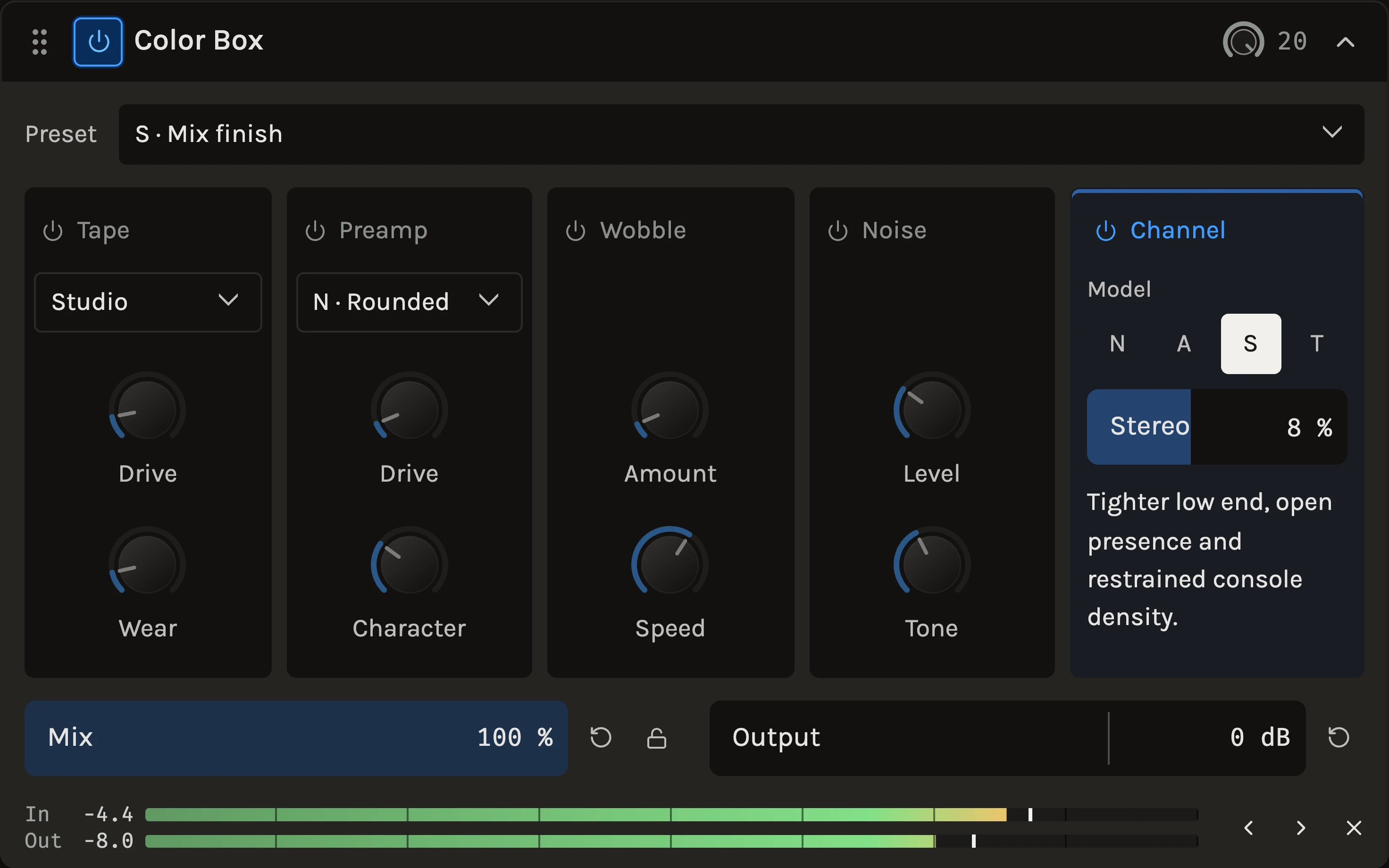
Hear the difference.
One phrase. Two characters. Switch while it plays.
About this comparison
The same groove through Color Box with Tape Drive at 13. Channel, Preamp, Wobble and Noise are off. Both renders are RMS level-matched; switching keeps your place.
The Color Box is five analog characters in a fixed order: Preamp, Tape, Wobble, Noise and Channel. Turn on only the ones you want. A new box starts as S · Mix finish, the Channel alone with a touch of stereo variation, which is a gentle finishing move for a whole mix. Switch the other sections on and it becomes a tape machine, a driven console preamp or a worn cassette.
When to use it
Use it on a master or a bus for glue and a little weight, on a bass or keys for warmth, on drums for drive and punch, or on anything for lo-fi texture. The presets are grouped by use: Mix finishing, Warmth & body, Drive & punch and Lo-fi & texture. For a guitar amp with a speaker and a room, use the Guitar amp; for deliberate destruction, use Crush Lab.
Controls
Channel
Four channel models, N, A, S and T: N is rounded with broad warmth, A has firm lows and forward mids, S is more open and restrained, and T softens treble peaks as they get louder. Stereo adds variation between the left and right channels; 0% keeps them matched, 8% is the default, and the bar’s colour changes as the amount moves from subtle through strong to extreme. Existing stereo audio is preserved.
Tape
Choose Studio, Warm or Cassette. Drive pushes peaks into soft saturation with the input gain compensated, so the level stays put while the highs soften before the lows. Wear moves from an open top end to darker, worn tape; Warm and Cassette start partly worn.
Preamp
Drive runs from subtle saturation to heavy clipping, compensated across its range. Character shapes the circuit’s asymmetry and where the drive bites: pick N · Rounded for body, S · Tight for a brighter, firmer edge or F · Grain for midrange grit.
Wobble
Amount is linked stereo wow, flutter and drift, up to about 12 ms of timing shift at the top. Speed runs from a 50-second warp to a fast wobble; slow speeds also slow the drift so the motion stays smooth.
Noise
Level sets the hiss, which continues through silent passages while the section is on. Tone moves it from dark and soft to bright.
Mix and Output
Mix blends the coloured signal with the original; zero is transparent. Output is the final trim, there for setting a listening level after drive.
Tips
- Compare at matched level. Drive is compensated, so if the box sounds better only because it is louder, pull Output back before deciding.
- For a cassette, turn on Tape, Wobble and Noise together and start from the Cassette preset; raise Wear before Drive.
- Combining Tape with Channel T stacks two treble-softening stages on purpose; back one off if the top end disappears.
All control ranges 11 controls
| Control | Range |
|---|---|
| Stereo | 0 to 100% |
| Drive | 0 to 24 dB |
| Wear | 0 to 100% |
| Drive | 0 to 48 dB |
| Character | 0 to 100% |
| Amount | 0 to 100% |
| Speed | 0.02 to 2 Hz |
| Level | -90 to -30 dB |
| Tone | 0 to 100% |
| Mix | 0 to 100% |
| Output | -24 to 12 dB |
What’s changed
- ImprovedColor Box stages are tinted while they are on · 21 September 2026
Tape, Preamp, Wobble and Noise each carry a restrained hue on their panel and knob arcs when active, and go neutral when bypassed, so the on and off states read at a glance.
Keep shaping your sound.
There’s a whole rack to explore.