Stress compressor
A compressor whose ratio button changes its whole character, with distortion on tap.
Open the studio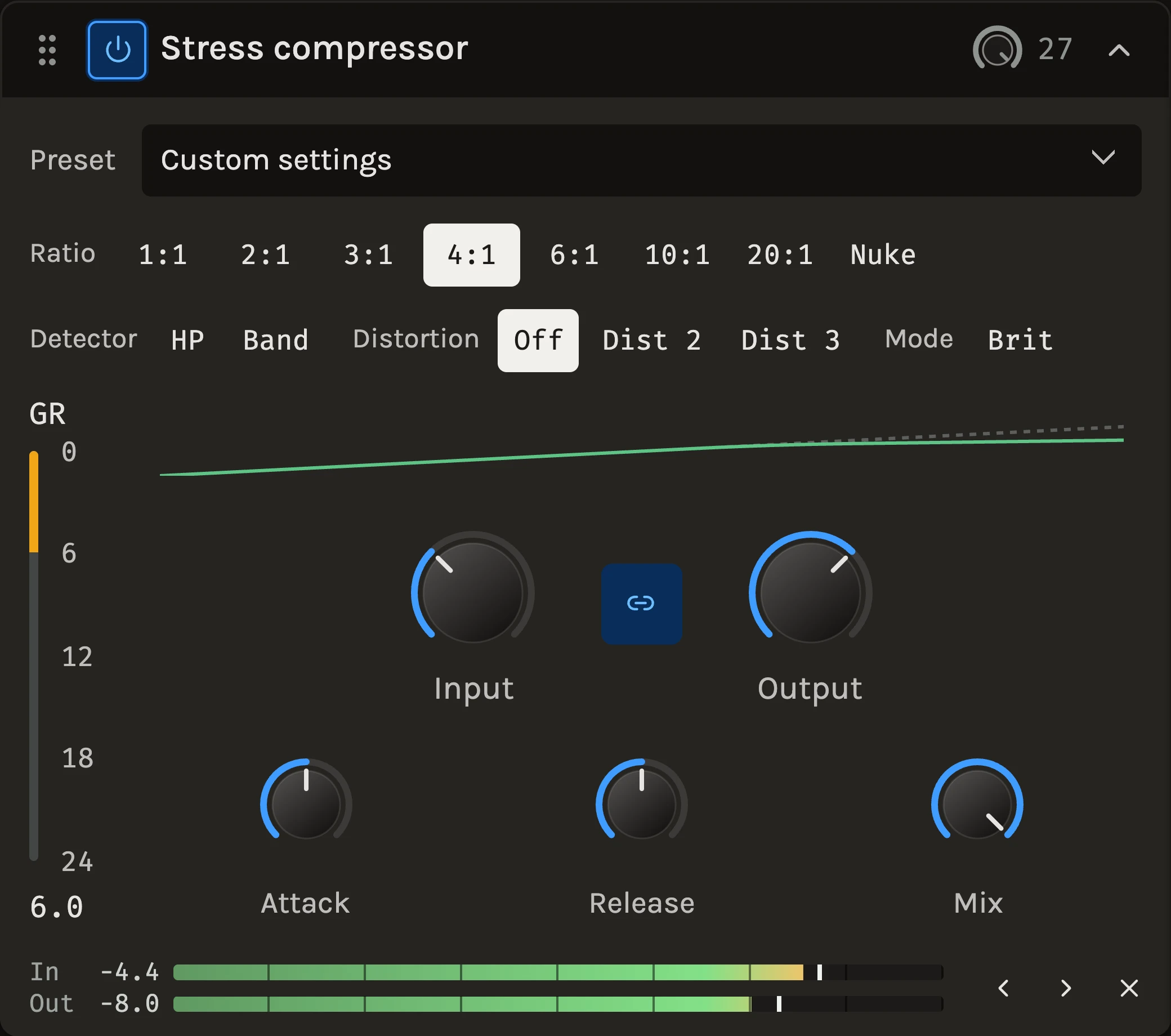
The Stress compressor is several compressors behind one set of knobs. Each ratio button brings its own knee, its own grip and in some cases its own envelope, from a wide-kneed leveller that eases in like an optical unit to brick walls that flatten a room mic. The threshold is fixed, so Input sets how hard you drive it and Output brings the level back, and two distortion modes add harmonics that grow with the level and the reduction.
When to use it
Use it when the compression should be heard as a sound: punchy drums, aggressive vocals, bass that needs to sit still, or a drum bus you want to destroy in parallel. The low ratios are gentle enough for mix-bus glue. For a fast, forward squeeze try the FET compressor; for transparent control with a visible curve, the Compressor; for a ceiling, the Limiter.
Controls
Input and Output
Input drives into the fixed threshold; Output restores the level. They are linked by default so a track peaking around −12 dBFS keeps its level as Input moves. Unlink with the button between them when you want to set them apart.
Attack and Release
How much of each hit gets through and how quickly the level recovers, on 0 to 10 dials. The 10:1 button never attacks faster than its optical character allows, whatever the dial says.
Ratio
1:1 compresses nothing and leaves only the distortion modes. 2:1 and 3:1 ease in over a very wide soft knee, for mix-bus glue and gentle levelling. 4:1 is the all-purpose setting with a medium knee; 6:1 grabs after it, for vocals and drums. 10:1 is the optical style, with a slow attack and a long two-stage release. 20:1 is a brick wall, and Nuke a brick wall that lets go quickly at first and then slows, for room mics and drum bus destruction.
Detector
Shapes what the compressor listens to without changing the audio. HP ignores bass below 80 Hz so kick and low notes stop pumping the mix; Band makes it react more to the presence region, taming harsh peaks.
Distortion
Off keeps the audio path clean. Dist 2 adds second harmonic that grows with level and reduction, like a tube stage. Dist 3 adds third harmonic from symmetrical soft clipping, like tape. Push Input for more of either.
Brit
Borrows the all-buttons-in behaviour of a FET compressor: the attack lags, then overshoots and settles, for an explosive drum sound. Most dramatic at 10:1 and above; at 1:1 it becomes a hard-knee ratio of its own.
Mix
Blends the compressed signal with the untouched one inside the module for parallel compression.
Tips
- Pick the ratio first and listen to how it grabs before touching Attack and Release; the button is most of the sound.
- 1:1 with Dist 2 or Dist 3 is a saturator, and the detector still drives how much harmonic content the level adds.
- Nuke in parallel on a drum bus with Mix around a third gives weight without losing the hits.
All control ranges 5 controls
| Control | Range |
|---|---|
| Input | -24 to 48 dB |
| Output | -48 to 24 dB |
| Attack | 0 to 10 |
| Release | 0 to 10 |
| Mix | 0 to 100% |
Keep shaping your sound.
There’s a whole rack to explore.