Limiter
A ceiling for peaks, with true-peak protection and a bass control that stops the low end from pumping the mix.
Open the studio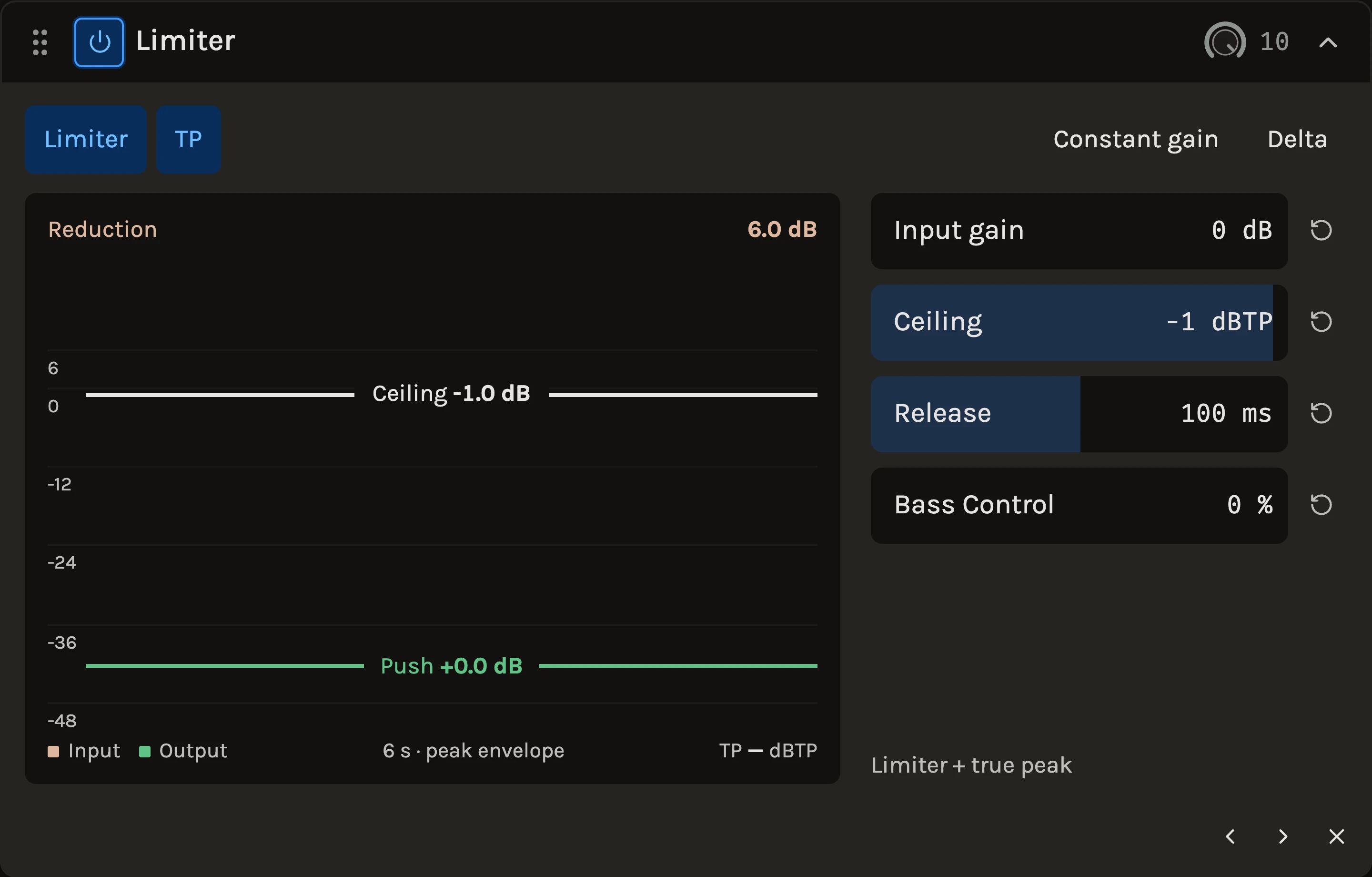
The Limiter holds every peak under a ceiling you choose. It looks a few milliseconds ahead, so the gain is already moving when a peak arrives and nothing steps or clicks, and it recovers quickly after an isolated hit while settling into a slower floor under sustained limiting. A separate true-peak stage catches the overs that appear between samples, and Bass Control lets the low end be tamed on its own so a kick does not duck the whole mix.
When to use it
Put it last on the master to set the final level, and on a bus or a track when a few stray peaks keep you from turning the fader up. A new project’s master chain is empty, so add it yourself. For shaving the tops off transients with a sound of its own, the Clipper comes first; for shaping dynamics rather than catching peaks, the Compressor. What you hear with it on is what export prints.
Controls
Input gain
Pushes the signal into both stages; the lower handle on the graph is this control. More Input gain at the same Ceiling means a louder, more limited result.
Ceiling
The maximum output peak, −1 dBFS by default and shown as the upper handle. Leave it there unless you know the delivery target asks for something else.
Release
How quickly limiting lets go. Recovery is adaptive: an isolated peak recovers in a fraction of this time, while sustained or repeated peaks build a slower floor that releases at the time you set. Longer settings sound smoother, shorter ones louder.
Bass Control
Turns down the bass itself where it would otherwise drive the limiter, as a gentle dynamic low shelf ahead of the main stage. Zero leaves the sound exactly as before; raise it until a kick or a bass note stops pulling the rest of the mix down with it. High settings change the tonal balance and can thin the low end, so listen for the point where the pumping stops.
Limiter and TP
Two independent switches. Limiter is the adaptive main stage with Bass Control; TP is true-peak protection with a small internal margin, and it works on its own when the main stage is off.
Constant gain
Undoes the input boost after processing so you can compare the dynamics at the original level. It is not automatic loudness matching: the limiting stays audible.
Delta
Hear only what both stages remove, at the original input level. The ceiling does not apply to Delta.
The display scrolls six seconds of gain reduction above six seconds of input and output peak envelopes on the same scale, with the true-peak reading of what you are listening to. The short lookahead is compensated in playback and export.
Tips
- Set the Ceiling first, then raise Input gain until the reduction history shows a few decibels on the loudest passages and stop when the drums lose their snap.
- Toggle Constant gain while adjusting: when the limited version sounds smaller rather than just quieter, you have gone too far.
- Adding dry with the rack’s wet/dry blend, or raising a fader after the chain, can exceed the ceiling again; keep the limiter last and the master fader at zero.
All control ranges 4 controls
| Control | Range |
|---|---|
| Input gain | 0 to 24 dB |
| Ceiling | -24 to -0.1 dBFS |
| Release | 10 to 1000 ms |
| Bass Control | 0 to 100% |
Keep shaping your sound.
There’s a whole rack to explore.