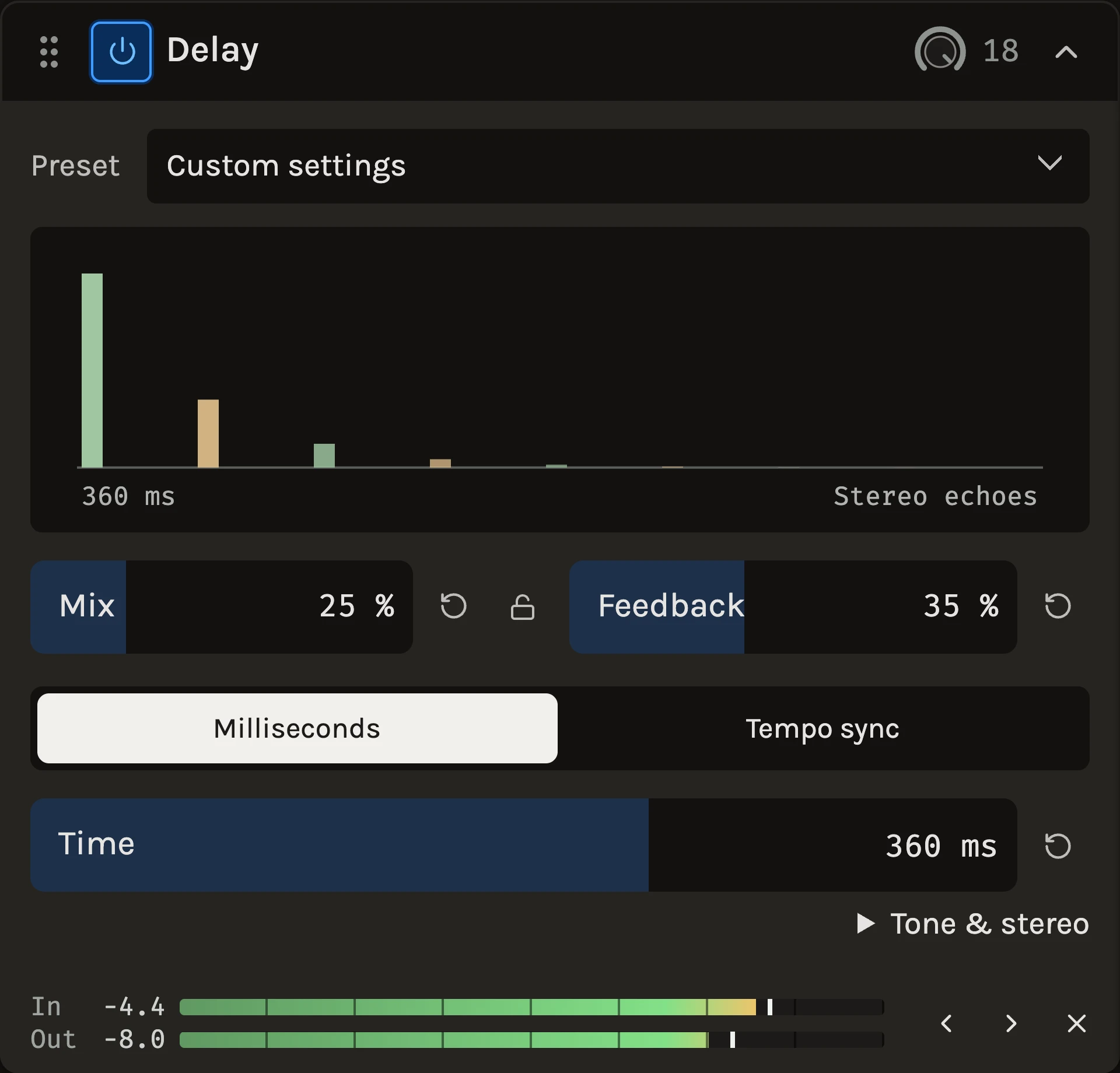
The Delay repeats what goes in. Each repeat passes through a low cut and a high cut, so the echoes thin out and darken as they fade instead of piling up under the original. The time can be set in milliseconds or locked to the project tempo as a note value, and the echoes can bounce between the left and right channels.
When to use it
Use a short single repeat for the thickness of a slapback on a vocal or guitar, a dotted eighth for the classic rhythmic echo behind a lead line, or long dark repeats on a pad to fill the gaps in an arrangement. The three templates, Slap, Warm echo and Wide, cover those starting points. For a wash without distinct repeats, use the Reverb.
Controls
Time
Choose Milliseconds or Tempo sync. In milliseconds the knob runs from 20 ms to 2 seconds; changing it while playing bends the pitch of the repeats like moving a tape head. In tempo sync pick a note from 1/2 to 1/32 and Straight, Dotted or Triplet; the readout shows the resulting time at the project tempo, and the delay follows tempo changes.
Feedback
How much of each filtered echo returns for another repeat. Around 10 to 15% gives one or two audible repeats; above 50% the echoes carry on for bars. 90% is the limit, so it never runs away.
Mix
The balance between the original sound and the echoes. For a send return set it to 100%.
Tone & stereo
Low cut removes bass from every repeat so the echoes do not muddy the original. High cut darkens each successive repeat; around 4 to 5 kHz sounds like tape. Movement adds gentle variation to the delay time, which keeps long repeats from sounding mechanical. Ping-pong sends alternate echoes to the left and right channels; a mono file stays mono.
Ducking
The header picker can feed the delay a trigger track. While the trigger plays the echoes drop and the dry sound stays, so the repeats fill the gaps instead of fighting the phrase. This track uses the delay’s own input as the trigger. Ducking sets how far the echoes drop: 50% reaches 12 dB, 100% reaches 24 dB.
Tips
- For a vocal echo that never clutters the words, put the vocal on its own sidechain with This track and raise Ducking until the repeats only appear between lines.
- A dotted eighth on a lead with Ping-pong at 100% gives movement without widening the dry sound.
- Automate Feedback to let the last note of a section run on into the next one.
All control ranges 8 controls
| Control | Range |
|---|---|
| Ducking | 0 to 100% |
| Mix | 0 to 100% |
| Time | 20 to 2000 ms |
| Feedback | 0 to 90% |
| Low cut | 20 to 1000 Hz |
| High cut | 1000 to 18000 Hz |
| Movement | 0 to 100% |
| Ping-pong | 0 to 100% |
Keep shaping your sound.
There’s a whole rack to explore.