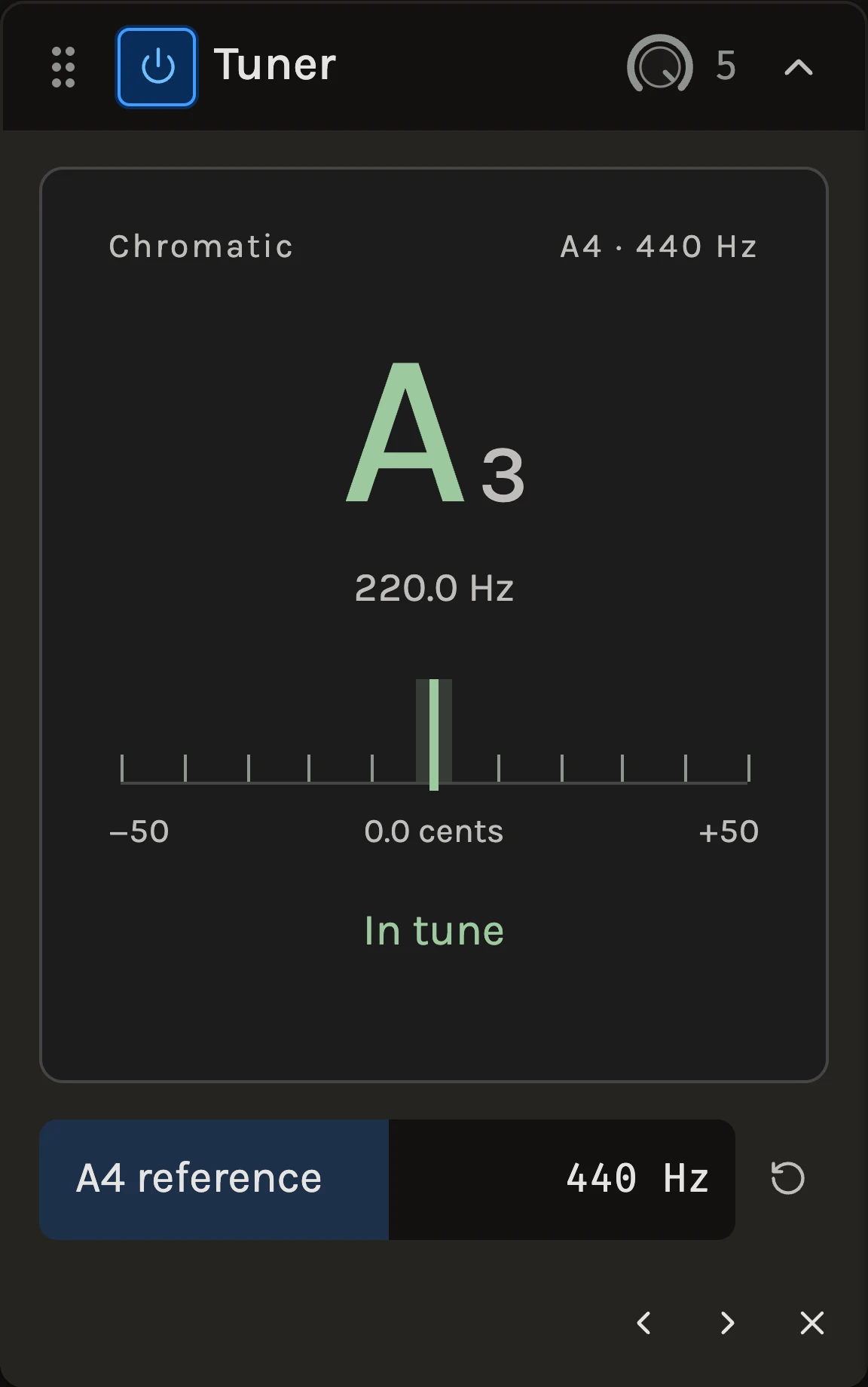
The Tuner shows the nearest note, its octave, the measured frequency and how many cents sharp or flat the sound is. It changes nothing: audio passes through untouched, it adds no delay, and it is left out of exports entirely. Add it to any track and play one note at a time.
When to use it
Use it to tune a guitar or bass before recording, to check a sampled instrument or a synth against the rest of the project, or to find the pitch of any single-note sound. For a live instrument, arm an audio track and turn on its monitoring toggle so the signal reaches the rack; place the tuner before any distortion, modulation or reverb for the cleanest reading. To correct a performance rather than read it, use Pitch correction.
Controls
Readout
The large note name and octave are the nearest chromatic note; the needle shows the offset in cents and the frequency sits beneath. The centre lights In tune within ±3 cents; outside that it reads Flat · tune up or Sharp · tune down. Standard guitar tuning is E2 A2 D3 G3 B3 E4. When nothing pitched is playing the readout clears.
A4 reference
The frequency of concert A, 400 to 480 Hz. Standard tuning is 440 Hz; set 442 to match an orchestra, or move it to match an old recording that was not at pitch.
Tips
- The tuner picks whichever channel is louder, so a guitar plugged into only one side of an interface reads correctly.
- It works from about A0 to the top of a guitar’s range, but it is not a chord detector: mute the other strings while you tune each one.
- Three readings are averaged to steady the needle, so hold the note for a moment rather than plucking repeatedly.
All control ranges 1 controls
| Control | Range |
|---|---|
| A4 reference | 400 to 480 Hz |
Keep shaping your sound.
There’s a whole rack to explore.