Auto-pan
Move a sound across the stereo field in time, with four curves and a range you set.
Open the studio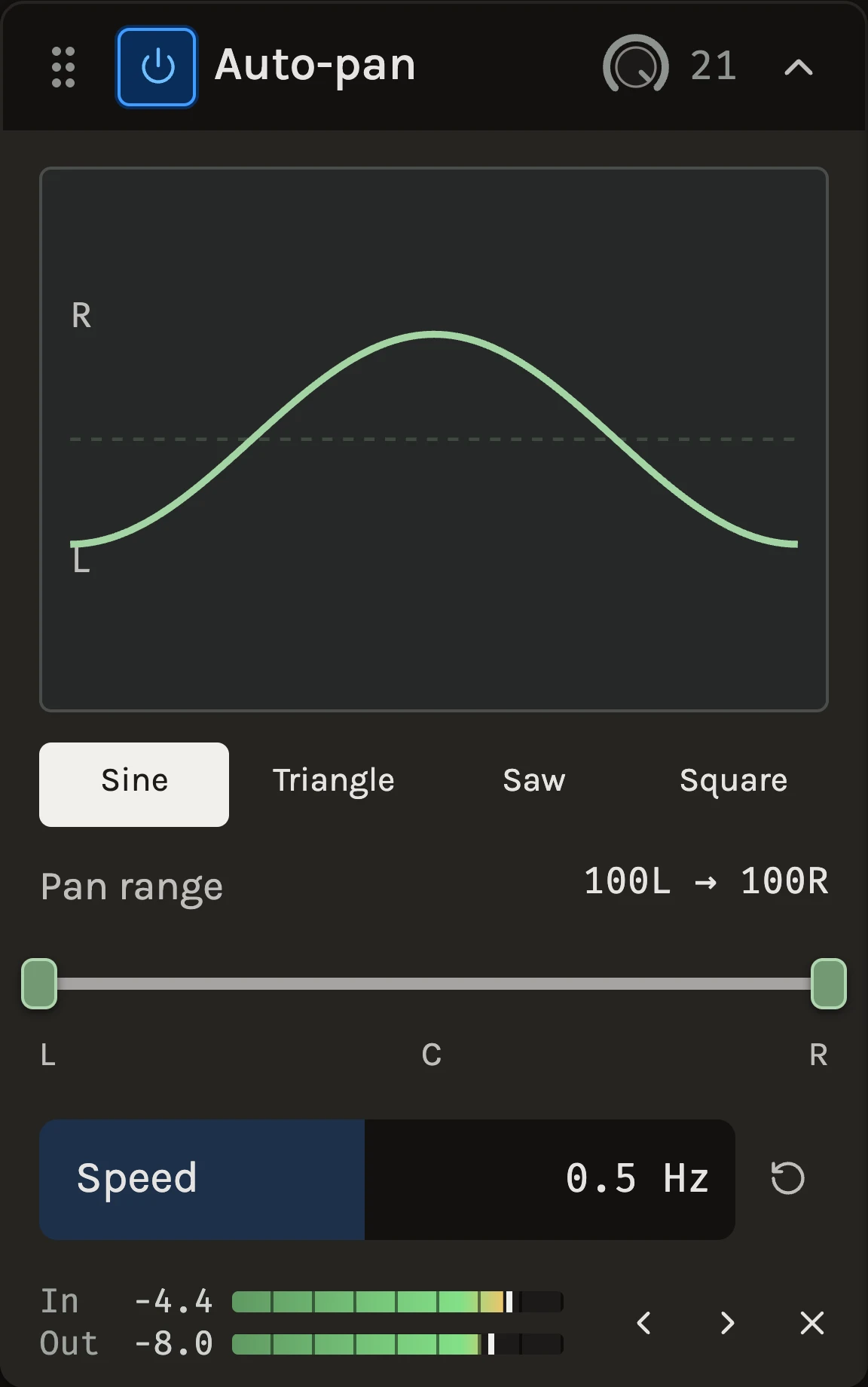
Auto-pan moves a sound between two points in the stereo field at a steady rate. Choose the shape of the movement, set how far left and right it travels and how fast, and the sound sweeps, bounces or steps across the mix. The movement is locked to the timeline, so it lands in the same place on every pass and in the export.
When to use it
Use a slow sine on a pad or a Rhodes to keep it gently alive, a square at the tempo of the track on a rhythmic synth to make it jump between the speakers, or a narrow range on a backing vocal so it never sits exactly where the lead is. For width without obvious movement, use the Chorus instead. On a mono file the module has nowhere to move; use a track in the multitrack workspace for stereo movement.
Controls
Oscillation curve
sine is a smooth swing that slows at each side. triangle moves at a constant speed and turns sharply. saw sweeps one way and returns, like a sound circling the room. square sits on one side and jumps to the other. The jumps in square and saw are softened over 3 ms, so they never click.
Pan range
Two handles set where the movement starts and ends, from fully left to fully right. The full range is the default. Narrow the range for a subtle drift, or move both handles to one side to let a sound wander within half the stereo field. Playback starts in the middle of the range.
Speed
Cycles per second, 0.02 to 20 Hz. Below about 0.2 Hz the movement is a slow drift; around 1 to 2 Hz it reads as a rhythm; above 8 Hz the pan becomes a stereo tremolo. Changes keep the current phase, so you can adjust while playing without a jump.
Tips
- To lock the movement to the tempo, work the speed out from the beat: at 120 BPM one cycle per bar is 0.5 Hz, one per beat is 2 Hz.
- A square at half the tempo on a delay return makes the echoes alternate sides without touching the dry sound.
- Automate the Pan range handles to open a sweep gradually across a build.
All control ranges 1 controls
| Control | Range |
|---|---|
| Speed | 0.02 to 20 Hz |
Keep shaping your sound.
There’s a whole rack to explore.